

There is no simple answer to the question, How do I prepare my files for printing? In fact, it takes a trained expert with years of experience to understand how even the smallest changes can impact the quality of a printed piece. But there are a few tips and tricks and general know-how that can help get you started, especially when it comes to understanding trim, margins, and bleeds.
You see, today’s printing presses, along with the cutting, folding, and binding machines, work at blazing speeds, under the guide of a trained specialist. To print quickly and cost-effectively, printing machinery tolerances allow for minor paper shifts–merely fractions of an inch.
Margins and bleeds accommodate this necessary flexibility without sacrificing the end product or requiring manual and precise trims on individual pieces–which would take a ton of time and a lot of money. So what do these terms mean exactly?
KEY TERMS
When it comes to sizing your documents correctly for production, here are a few key terms that are helpful to understand.
Trim Size: This is the actual, finished, and delivered size of your document.
Trim Area: This is the entire area around the edges of your document; it includes the margin and bleeds.
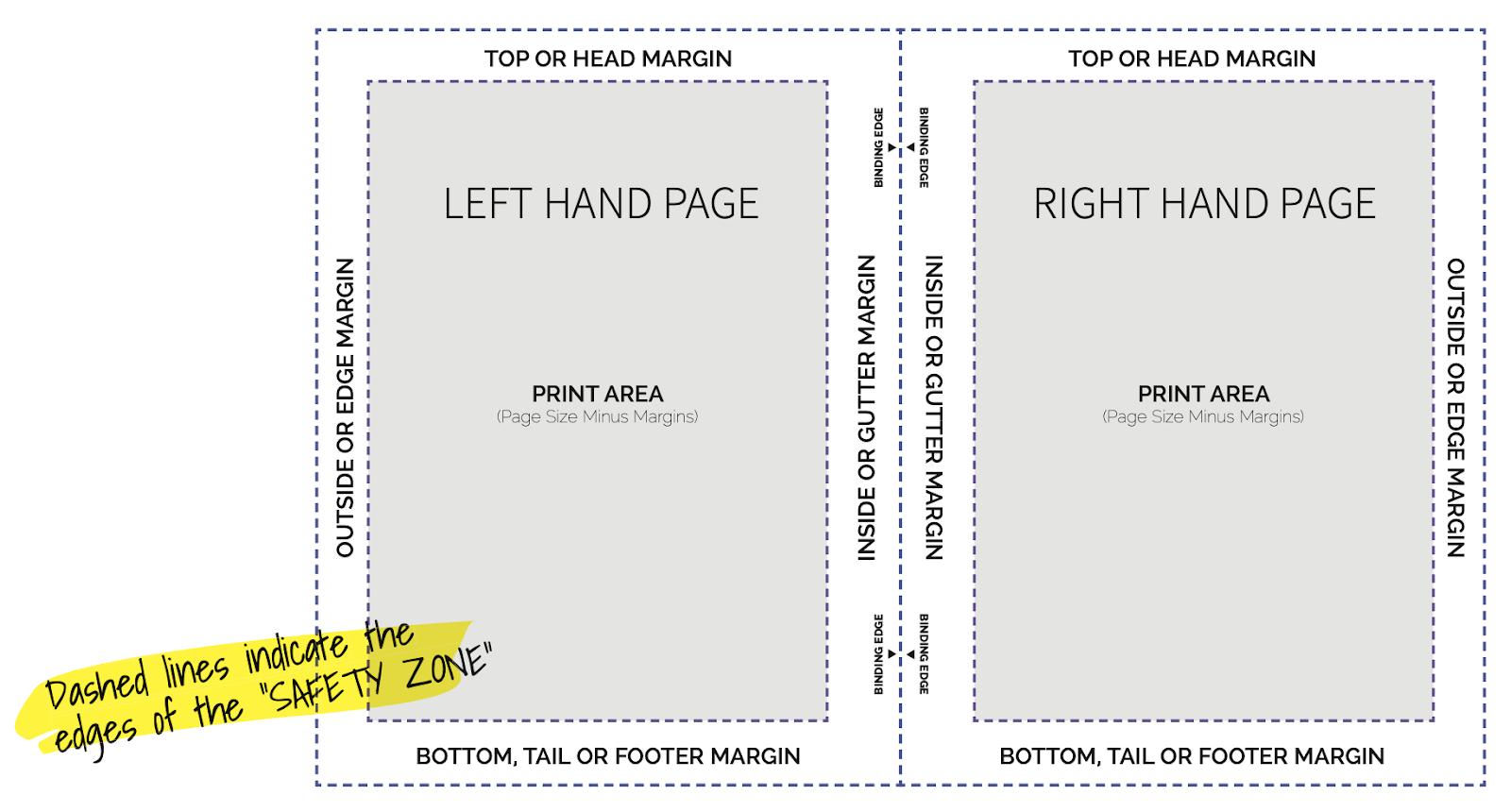
Margin Area (aka Safe Zone): The part of the trim area that remains visible after your document is cropped.
Bleed Area: The part of the trim area that is cut off during the trim process.
MARGINS AND BLEEDS: THE BASICS
So, clients need to know: How big should my margins and bleeds be for best results?
Bleeds: Allow at least 1/8 inch (0.125”) area around the exterior of your trim size
Margins: Allow at least 1/8 inch (0.125”) area around the interior of your trim size
TECHNIQUES FOR SUCCESS
Here are a few things to keep in mind as you prepare your materials for printing:
- Prepare your documents at the ACTUAL size they will be printed to ensure best print results.
- Be sure any graphics you want to bleed off the edge extend all the way to the bleed marks (if they don’t, you might see the paper’s unprinted border along the edge of the document).
- Make sure no vital content is within the safety area/margins. Think of this as the “margin of error” needed to accommodate the machine tolerances. It’s likely that content will stay visible here, but it could also get cut off in the trimming process.
INNER MARGINS (GUTTERS) FOR BOUND DOCUMENTS
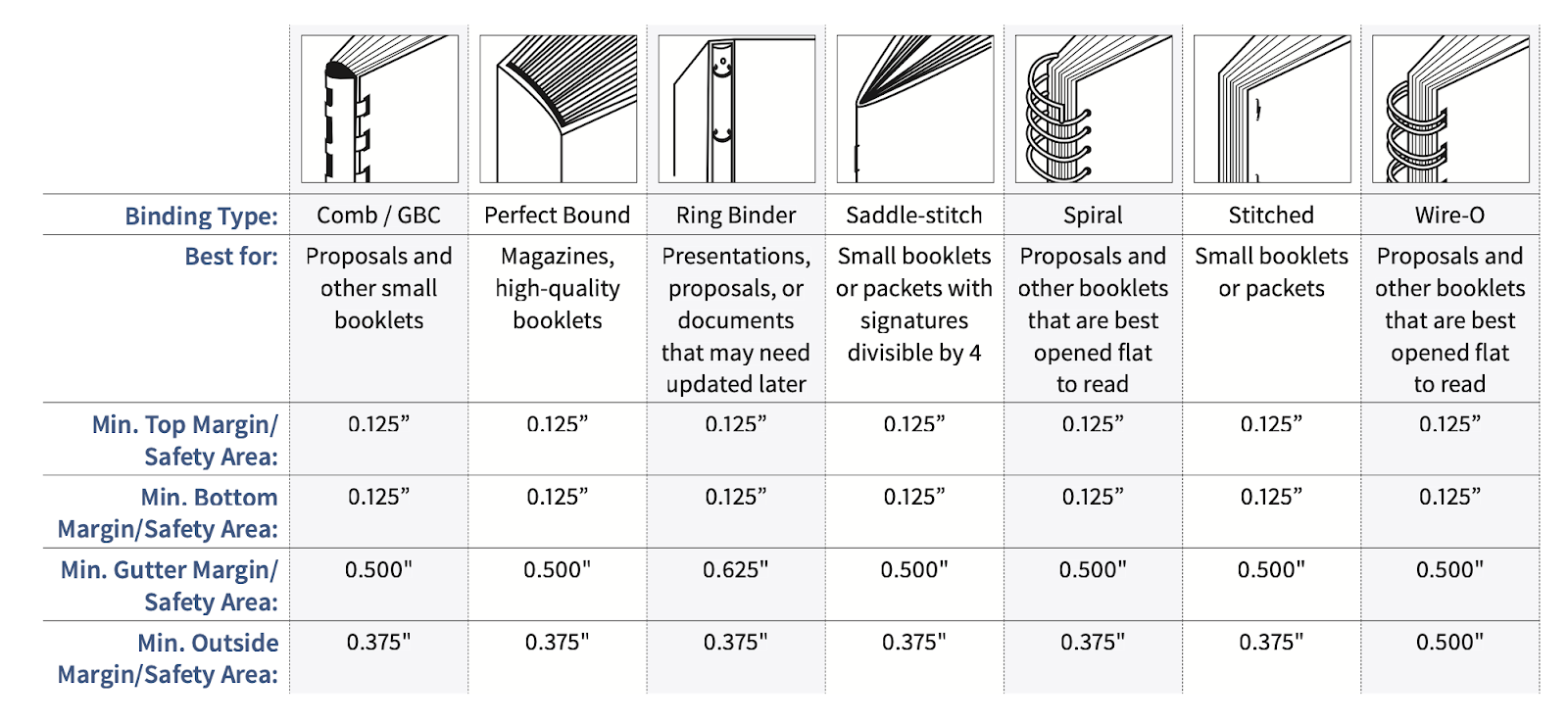
The inner margins are called “gutters,” and it’s especially important to consider them when prepping documents that require binding. Often, when you are creating bound, multi-page documents, you need to allow for larger gutter or inside margins than the 1/8 inch (0.125”) recommended earlier. If you don’t allocate enough room for this margin, your audience could have a difficult time reading your booklet. The chart below provides margin recommendations for different binding types.
CONCLUSION
This is just the most broad, basic info needed for prepping your materials for printing. Our best advice, though, is this: contact us at the beginning of your print project. We can walk you through the processes and things-to-expect, so you can deliver the optimal materials to us, and we can deliver the best product.